Built for macOS Sequoia & later

Your Mac,
Presentation-Ready
in One Click.

ZenSpace transforms your messy desktop into a pristine, professional studio โ€” silencing notifications, hiding clutter, and spotlighting your every move.
โ†“ Download Free โ–ถ See How It Works
ZenSpace App โ€” Zen Mode activated with glowing emerald green toggle

6 Hacks. One Toggle.

Every distraction eliminated. Every pixel polished. Your audience sees only what matters.

๐Ÿ”•

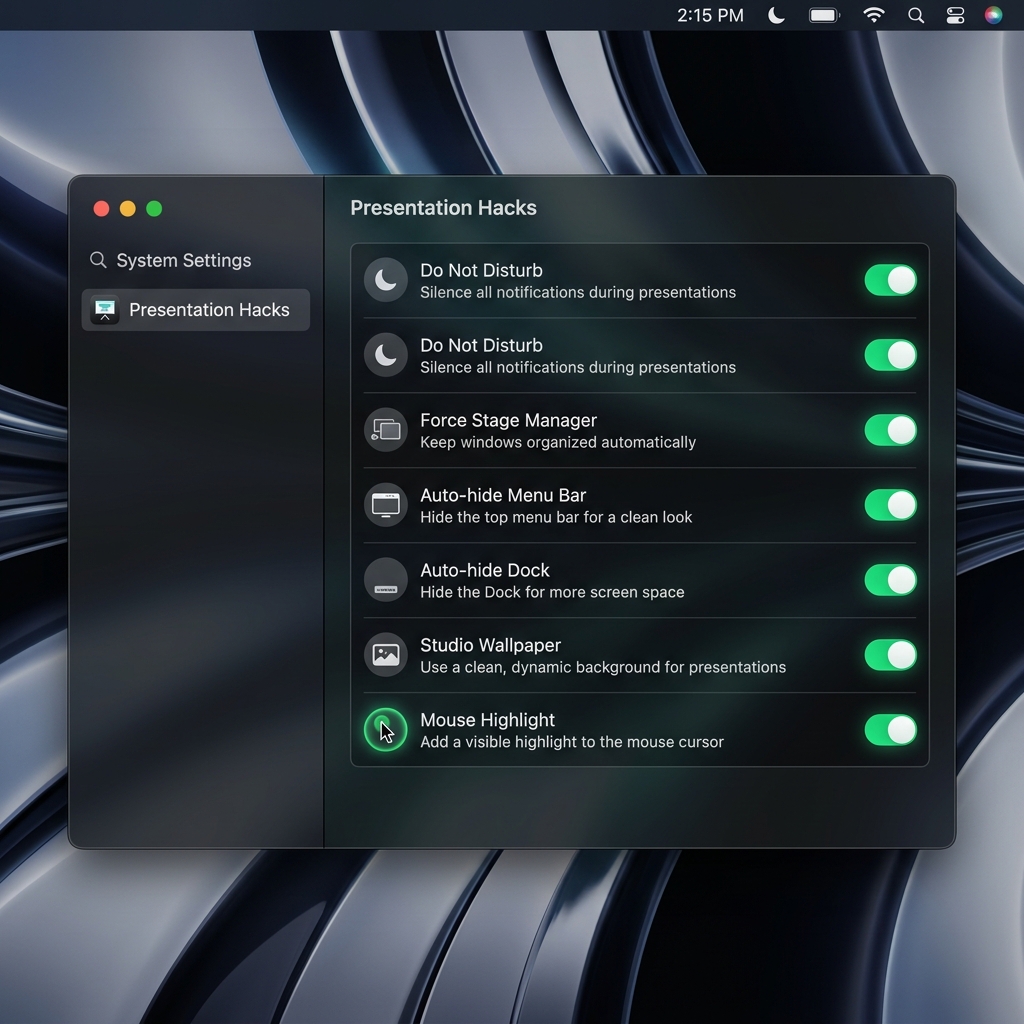
Do Not Disturb

Auto-toggle Focus Mode via Apple Shortcuts. No iMessage popups, no Slack pings โ€” just pure focus during your presentation.

๐ŸชŸ

Force Stage Manager

Instantly activate Stage Manager to keep only one window visible. Your audience sees exactly what you want, nothing more.

๐Ÿ“

Auto-hide Menu Bar

Strip the top of your screen clean. No clock, no icons, no distractions โ€” perfect for screen recordings and livestreams.

โฌ‡๏ธ

Auto-hide Dock

The Dock vanishes instantly, giving you the full canvas of your display. Essential for creating cinematic demo videos.

๐ŸŽจ

Studio Wallpaper

Switch to a premium 4K gradient wallpaper on-the-fly. Your desktop becomes a professional broadcast studio backdrop.

โœจ

Mouse Highlight

A glowing emerald halo follows your cursor with click-ripple effects. Your viewers always know where the action is.

From Chaos to Cinema

Three steps to transform your Mac into a professional recording studio.

1

Configure Your Hacks

Open Settings and toggle the presentation features you need. Each hack is independent โ€” use all six for the full studio experience, or pick just the ones that matter to you.

  • โœ“ One-click DND shortcut installer
  • โœ“ All settings saved automatically
  • โœ“ Independent toggles for full control
ZenSpace Settings panel showing Presentation Hacks
2

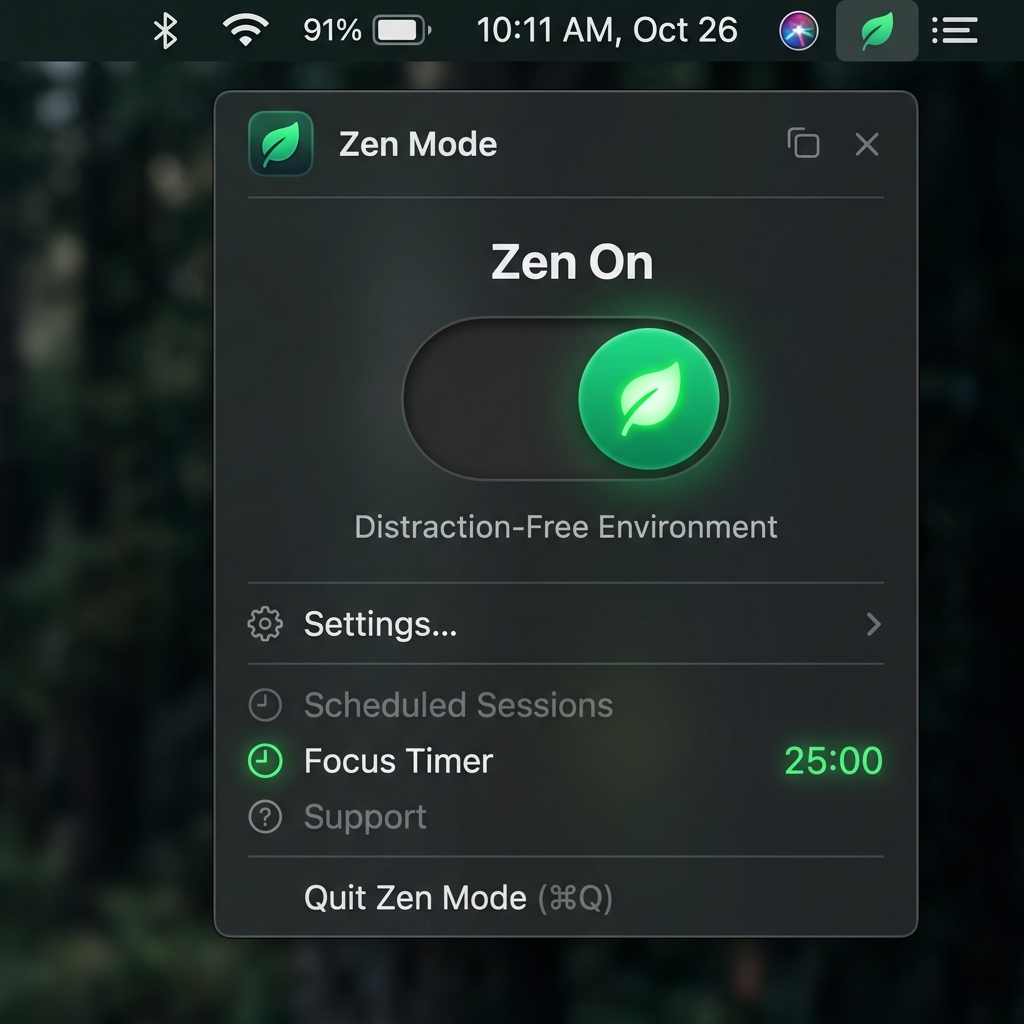
Flick the Switch

Click the ZenSpace icon in your Menu Bar and toggle Zen On. That's it. All your configured hacks fire simultaneously โ€” DND on, Dock hidden, wallpaper swapped, cursor glowing.

  • โœ“ Lives in Menu Bar โ€” always accessible
  • โœ“ Instant system-wide transformation
  • โœ“ Beautiful animated toggle
ZenSpace main toggle โ€” Zen On
3

Present Like a Pro

Your desktop is now a clean, distraction-free canvas with a premium studio wallpaper and a glowing cursor that highlights every click. Hit record and deliver your best demo ever.

  • โœ“ Mouse halo with click ripple effects
  • โœ“ 4K studio gradient wallpaper
  • โœ“ Zero-clutter screen canvas
ZenSpace demo mode โ€” clean desktop with mouse highlight

Free to Start. Pro to Dominate.

ZenSpace is free for essential presentation features. Upgrade to Pro for the full studio experience.

Free
Everything you need to get started.
$0 forever
  • โœ“ Do Not Disturb automation
  • โœ“ Auto-hide Dock
  • โœ“ Auto-hide Menu Bar
  • โœ“ Force Stage Manager
  • โœ“ Unlimited app whitelist
Download Free

Frequently Asked Questions

ZenSpace needs Accessibility permissions to control system features like Do Not Disturb and Stage Manager. The app uses native macOS APIs and Apple Shortcuts for safe, sandboxed automation. No admin password required.
Yes! The transparent overlay window is captured by all standard screen recording tools including QuickTime, OBS, and ScreenFlow. The emerald halo and click ripple effects look stunning in recordings.
Everything reverts to exactly how it was โ€” your original wallpaper is restored, the Dock and Menu Bar reappear, Do Not Disturb is disabled, and the mouse highlight vanishes. Zero cleanup required.
Absolutely. ZenSpace detects all connected displays and creates overlay windows for each screen. The Mouse Highlight seamlessly follows your cursor across monitors, accurately translating coordinates in real-time.
No subscriptions, ever. The Free tier is free forever. The Pro upgrade is a one-time payment of $9.99 that includes lifetime updates and priority support. Buy once, own forever.

Ready to Present Like a Pro?

Download ZenSpace for free and transform your Mac into a professional presentation studio.

Requires macOS 14.0 Sonoma or later ยท Apple Silicon & Intel supported